


FieldHive logo
Download free
FieldHive logo
Menu icon
Download free
FieldHive logo
Menu icon
Download free
FieldHive logo
Download free
FieldHive logo
Download free

Trade job management app features

Trade job management app: every FieldHive feature shown with the real app, what you get on the free plan, what Business adds, and what we do not do yet.

QR code to download FieldHive on the App Store
Scan with iPhone
QR code to download FieldHive on Google Play
Scan with Android
  1. 1Download free
  2. 2Add your logo and a few prices
  3. 3Send your first quote
  • Free plan, no card needed
  • iPhone and Android
  • Built by a UK electrician
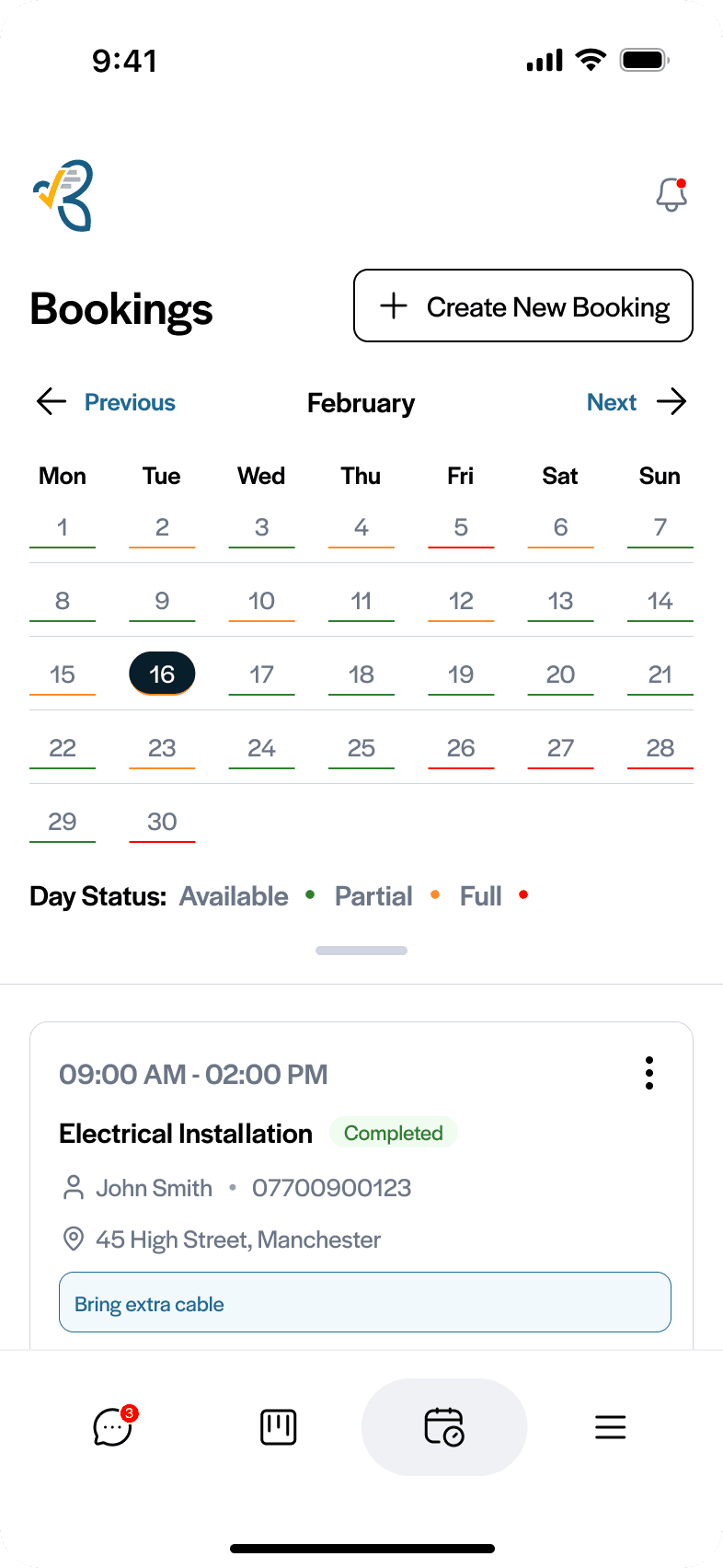
Trade job management app: the FieldHive bookings month view
FieldHive app shown on an iPhone
Your whole month, organised

Works with

  • Xero logoXero
  • QuickBooks logo
  • Stripe logo
  • Microsoft Outlook logoMicrosoft Outlook

What FieldHive does

Grouped by the job it does for you. Each feature shows the real app, with the key part enlarged.

1

Win the job

Your prices, your quotes and your branding, so customers say yes.

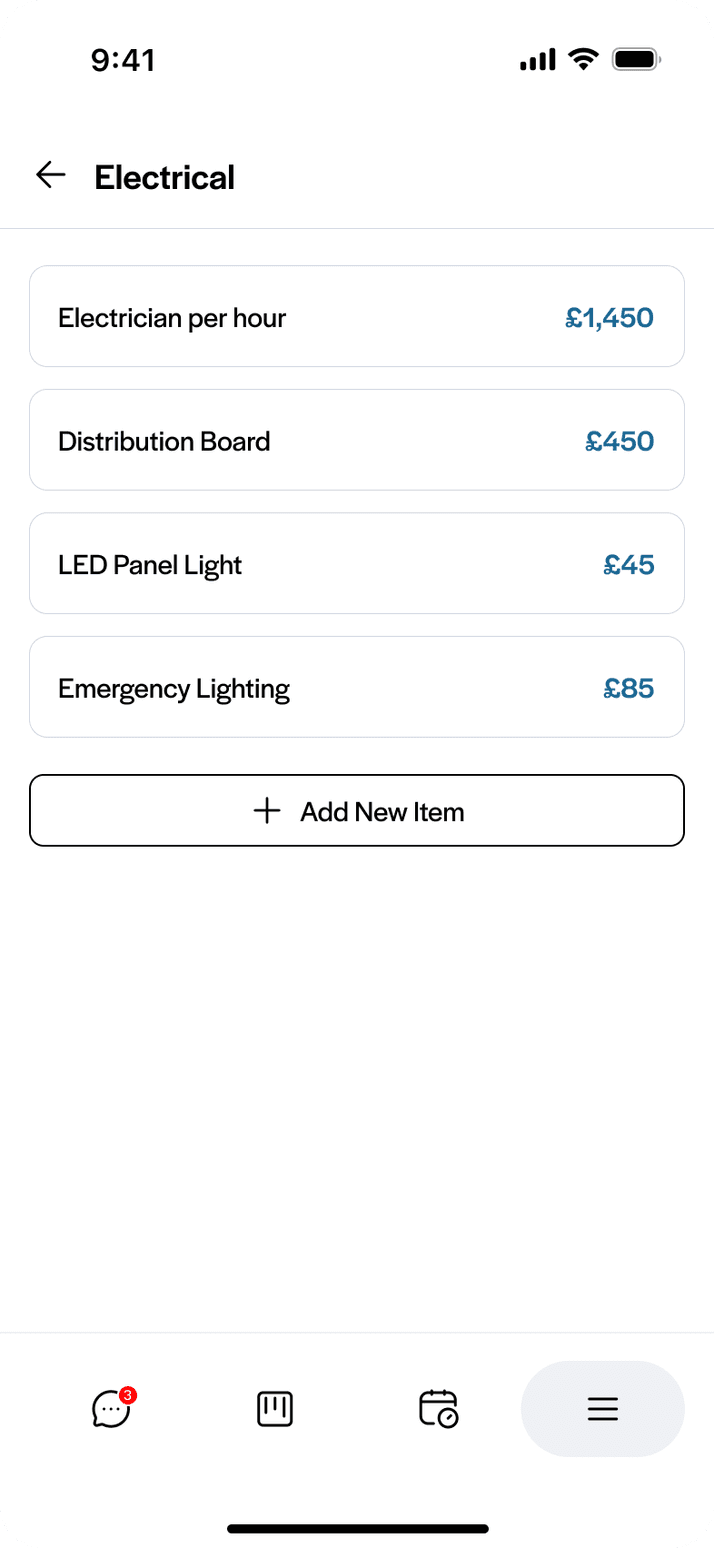
Price list

Build your prices once

Save each item with its material cost, labour fit time and markup, sorted into folders. Every quote after that starts from prices you have already worked out.

  • Material cost, fit time, markup and selling price on every item
  • Folders by trade or type of job
  • Change a price once and new quotes use it
Free plan
Quotes

Quote the way you price

Fixed price, by the hour, or time and materials, built from your saved prices or one-off lines. Preview the PDF, send it, and the customer accepts and signs online.

  • Three ways to price a job
  • Accepted and signed from a secure link
  • AI rewrite tidies the wording, never the price
Free: 5 active quotes · Business: unlimited
Branding

Your logo on every document

Add your logo, colour and header and footer text, then preview the document before it goes. Business removes the “Powered by FieldHive” line.

  • Logo and brand colour
  • Header and footer text
  • Live preview of the document
Free plan
2

Do the job

Book it in and keep every message and customer detail together.

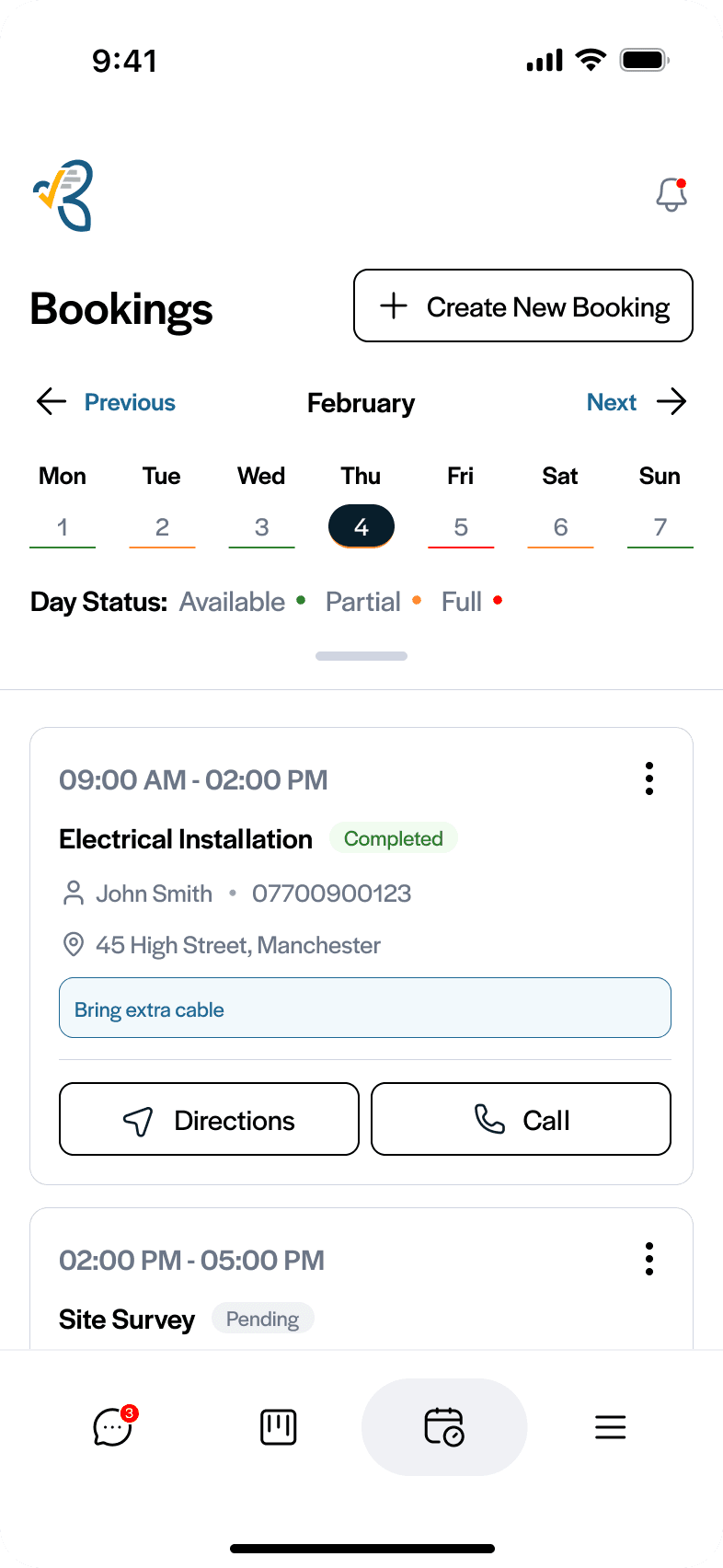
Bookings

Book the work into the diary

Book the accepted quote in with the address, your notes and a pending or completed status, then see the day or the whole month at a glance.

  • Bookings linked to the quote they came from
  • Week and month views
  • Availability indicators on Business
Free plan
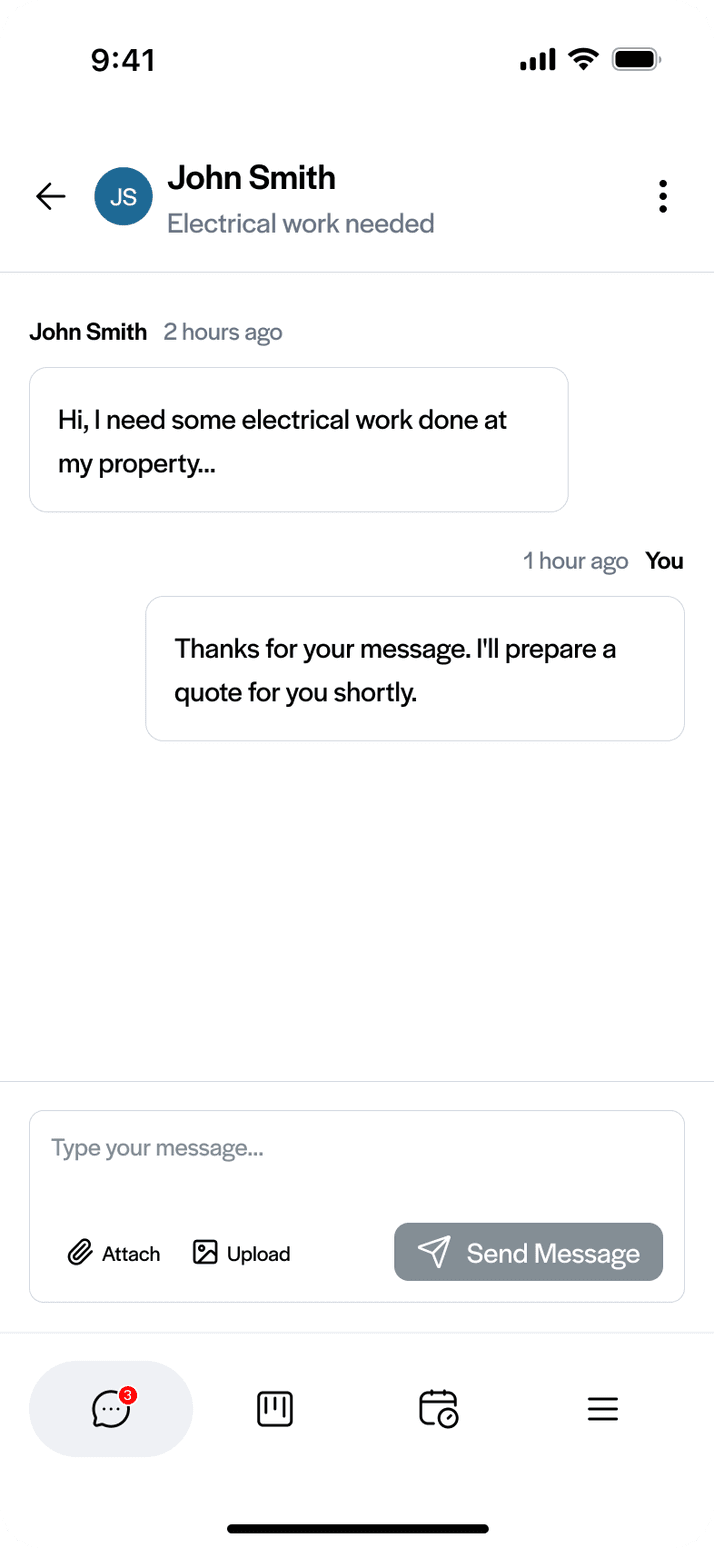
Messages and customer portal

Every conversation, filed against the job

Outlook email and portal messages land in one inbox against the customer. Customers open a secure link, with no account or app, to view and sign quotes, comment and pay invoices.

  • Microsoft Outlook connected
  • Customer portal on the free plan
  • Photos and PDFs in the conversation
Free plan
Customers

Every customer in one place

Contact details, address and notes, with every quote and invoice for that customer and their total spend at the top.

  • Full quote and invoice history
  • Notes like “prefers morning appointments”
  • Call or get directions from the job
Free plan
3

Get paid

Invoice from the quote, take card payments and keep your books in sync.

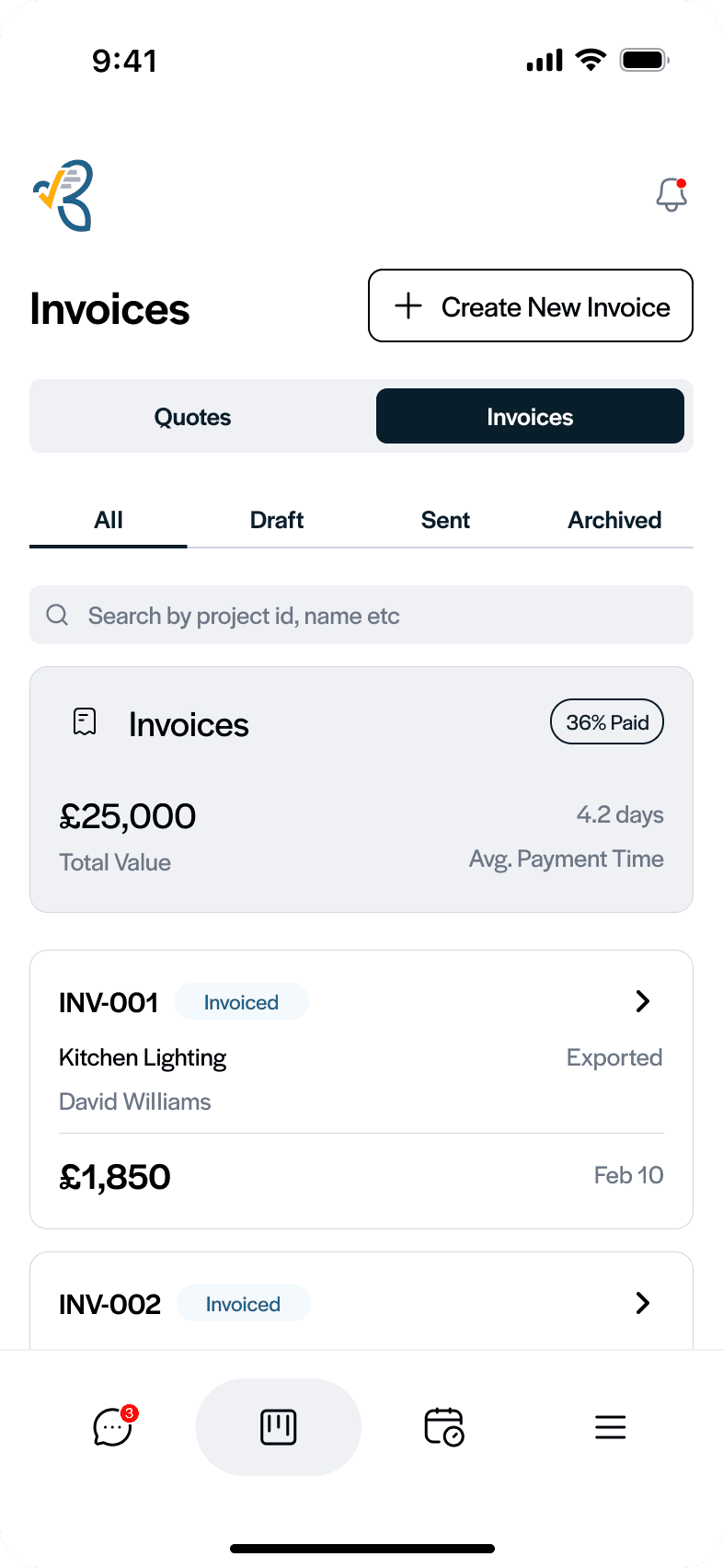
Invoices and payments

Invoice without retyping. Get paid by card.

Create the invoice from the quote and send it with a Pay Now link. Customers pay by card through Stripe and the invoice marks itself paid.

  • Simple, detailed, or materials and labour layouts
  • Deposits and progress claims on Business
  • Automatic invoice reminders on Business
Free plan

Works with Xero, QuickBooks, Stripe and Outlook

Connect the tools you already use. All four work on the free plan.

XeroInvoices, payment statuses, customers and CIS deductions sync both ways.
QuickBooksThe same sync for QuickBooks Online: invoices, payments, customers and CIS.
StripeEvery invoice carries a Pay Now link. Customers pay by card and the invoice marks itself paid.
OutlookCustomer emails land in FieldHive, filed against the customer and the job.
See integrations

What FieldHive does not do yet

  • Separate logins for staff
  • Job assignment and team scheduling
  • A desktop version
  • Customers booking their own appointments
See which apps do

Free to start. Business when you need more.

Both plans cover the whole business, however many people are on the tools.

FieldHive Free

£0 a month
  • Up to 5 active quotes at a time
  • Unlimited customers, invoices, bookings and price list items
  • Customer portal and messages
  • Xero and QuickBooks sync, with CIS
  • Card payments by Stripe
  • 10 AI credits a month
  • “Powered by FieldHive” on documents
Download on the App StoreGet it on Google Play

No card needed.

FieldHive Business

£14.99 a month

Or £144 a year (£12 a month), one price for the whole business.

  • Everything in Free
  • Unlimited quotes
  • Deposit invoices and progress claims
  • Availability indicators
  • Automatic quote and invoice reminders
  • 100 AI credits a month
  • No FieldHive branding
  • Core reporting
Download on the App StoreGet it on Google Play

Upgrade in the app when you need it.

Common questions

What features are on the FieldHive free plan?

Unlimited customers, invoices, bookings and price list items, up to 5 active quotes, the customer portal and messages, card payments by Stripe, Xero and QuickBooks sync with CIS, and 10 AI credits a month. No card is needed.

What does FieldHive Business add?

Unlimited quotes, deposit invoices and progress claims, availability indicators, automatic quote and invoice reminders, 100 AI credits a month, no FieldHive branding and core reporting, for £14.99 a month or £144 a year for the whole business.

Does FieldHive work with Xero and QuickBooks?

Yes, on the free plan. Invoices, payment statuses, customers and CIS deductions sync with Xero or QuickBooks Online.

Can my customers pay online?

Yes. Connect your Stripe account and every invoice carries a Pay Now link. Customers can also pay inside the customer portal, and the invoice marks itself paid.

Can my staff have their own logins?

Not yet. FieldHive is one account, built for a business where one person runs the admin. If every worker needs their own login today, our compare pages show which apps do that.

Is there a desktop version?

No. FieldHive is a full app for iPhone and Android. There is no desktop version yet.

See it on your own jobs

Download FieldHive free and send your first quote today. No card needed, and you keep the free plan if you never upgrade.

Download on the App StoreGet it on Google Play

Download on iPhone or Android.

QR code to download FieldHive on the App Store
Scan with iPhone
QR code to download FieldHive on Google Play
Scan with Android
FieldHive logo
FieldHive brand mark

Management software built by trade professionals, for trade professionals.

QUICK LINKS

© 2025 Fieldhive Ltd. All rights reserved.

Privacy Policy

Terms of Service

Cookie Policy

Company Registration No: 16741717

FieldHive logo
FieldHive brand mark

Management software built by trade professionals, for trade professionals.

QUICK LINKS

Company Registration No: 16741717

© 2025 Fieldhive Ltd. All rights reserved.

FieldHive logo
FieldHive brand mark

Management software built by trade professionals, for trade professionals.

QUICK LINKS

© 2025 Fieldhive Ltd. All rights reserved.

Company Registration No: 16741717

FieldHive logo
FieldHive brand mark

Management software built by trade professionals, for trade professionals.

QUICK LINKS

© 2025 Fieldhive Ltd. All rights reserved.

Privacy Policy

Terms of Service

Cookie Policy

Company Registration No: 16741717

FieldHive logo
FieldHive brand mark

Management software built by trade professionals, for trade professionals.

QUICK LINKS

© 2025 Fieldhive Ltd. All rights reserved.

Privacy Policy

Terms of Service

Cookie Policy

Company Registration No: 16741717